XNAT
This page provides a quick-reference guide to both interactions with the XNAT UI which may be required in preparation for model training, and programmatic XNAT interactions which are made available during model training i.e. downloading imaging data.
XNAT is an open-source imaging informatics software platform dedicated to imaging-based research. XNAT’s core functions manage importing, archiving, processing and securely distributing imaging and related study data. Detailed documentation on how to use XNAT is provided on their wiki.
Upon FLIP project approval, XNAT project creation tasks are queued for each trust. Trusts poll for these tasks and create the XNAT projects locally. Relevant imaging data is then imported from trust PACS systems. Model developers are granted access to the XNAT project at each trust in order to perform any data preparation and enrichment activities which may be necessary for the running & training of AI models.
XNAT UI
Receiving XNAT Account Credentials
On approval of a FLIP project, any associated users will be granted access to the respective XNAT project at each trust. New XNAT user accounts will be generated as necessary. The email address associated with the FLIP user account will be sent details of their XNAT account credentials pertaining to each participating trust.
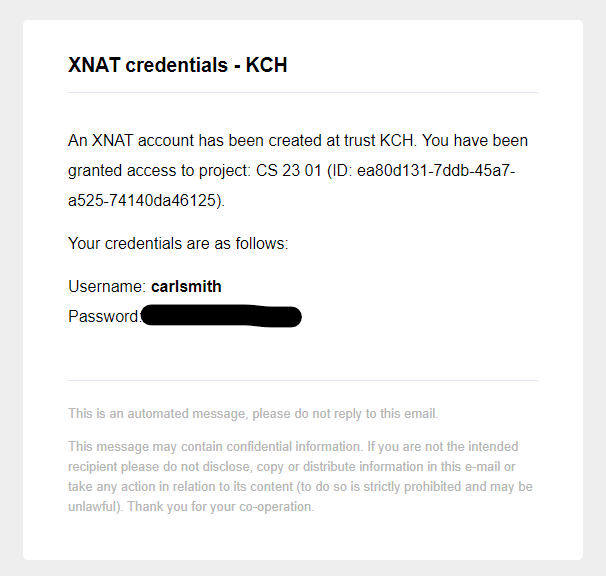
Email sent with XNAT account credentials.
Access
XNAT instances are local to each participating trust. As such, model developers are required to access the local network at each Trust in order to access the XNAT web UI and perform any data enrichment activities.
Login
Navigate to the XNAT URL. The landing page should appear as follows:
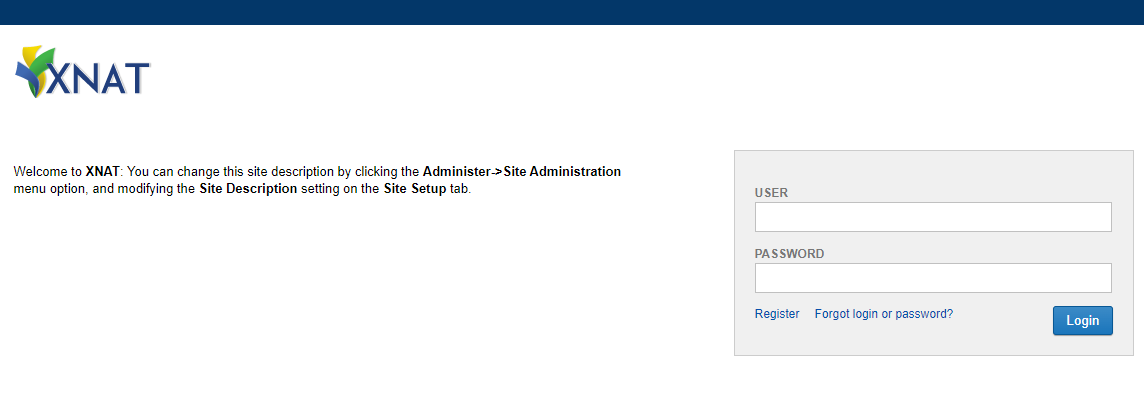
XNAT login page.
Enter the username and password per the Receiving XNAT Account Credentials section and select ‘Login’.
On login, the browser will be directed to the homepage, which lists existing projects and offers a project search capability:
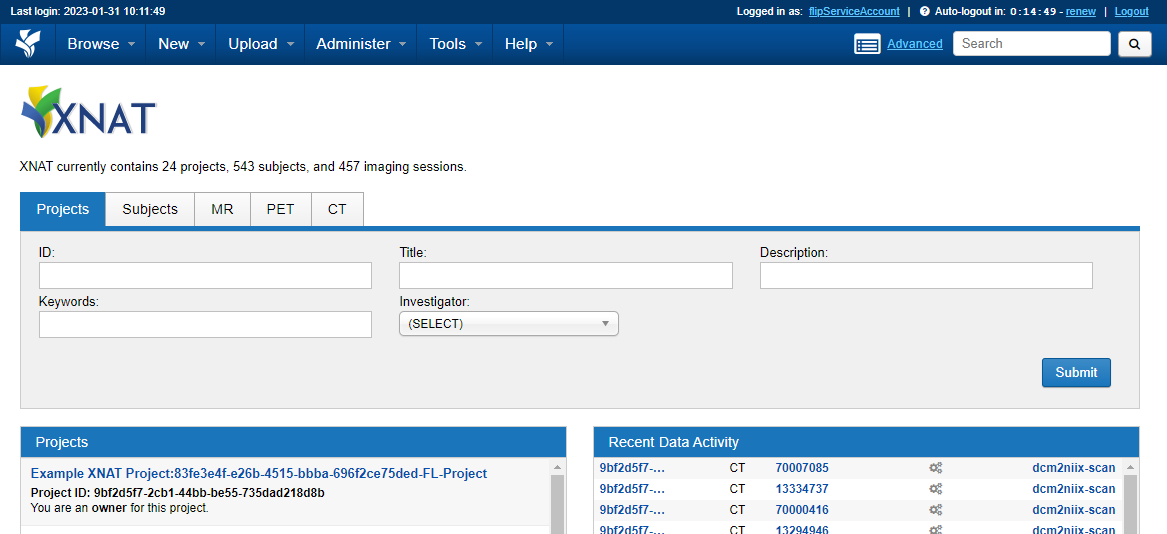
XNAT homepage once logged in.
XNAT Project Structure and Navigation
XNAT projects exist in the following structure:
Object |
Object |
|---|---|
Project |
Generated at FLIP Project approval |
Subject |
Represents an individual. Anonymised ID is randomly generated on import |
Experiment |
CT Session labelled with AccessionId |
Scan |
A collection / series of imaging data |
Resource |
Individual imaging data file e.g. DICOM, NIFTI |
See Understanding the XNAT Data Model for more information.
Project
XNAT projects generated by FLIP are identifiable by a Title which is derived from their FLIP counterpart i.e., `[FLIP Project Name]`:`[FLIP Project ID]`-FL-Project.
For example, Ischemic Stroke Vessel Occlusion:2fd45bc9-861b-4467-9b78-813372a10682-FL-Project.
To navigate to a project, select a project from the project list or search for a project via the home page.
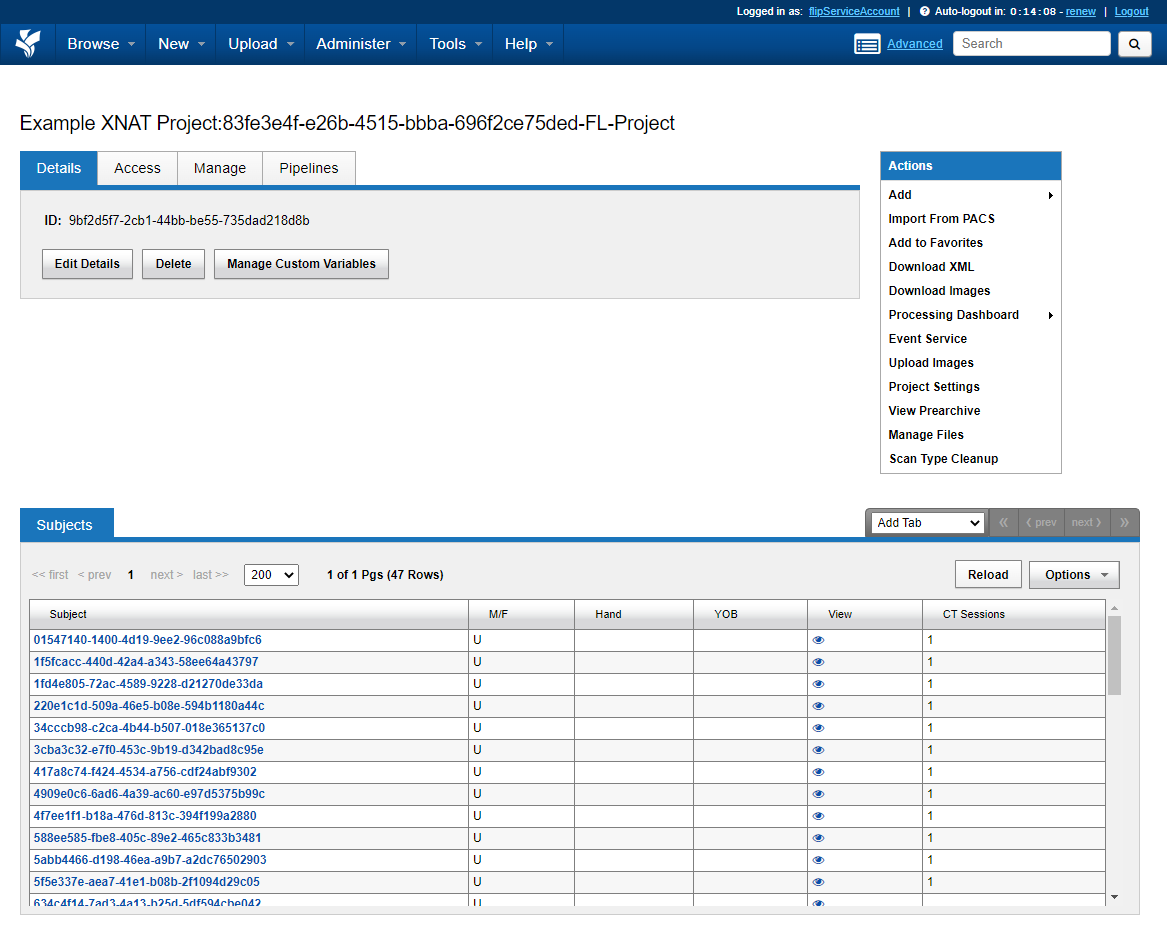
An XNAT project.
The project page displays a list of contained subjects and permits various functions available from the right hand side ‘Actions’ menu.
Subject
Navigate to a subject by selecting it from a project’s subject list.
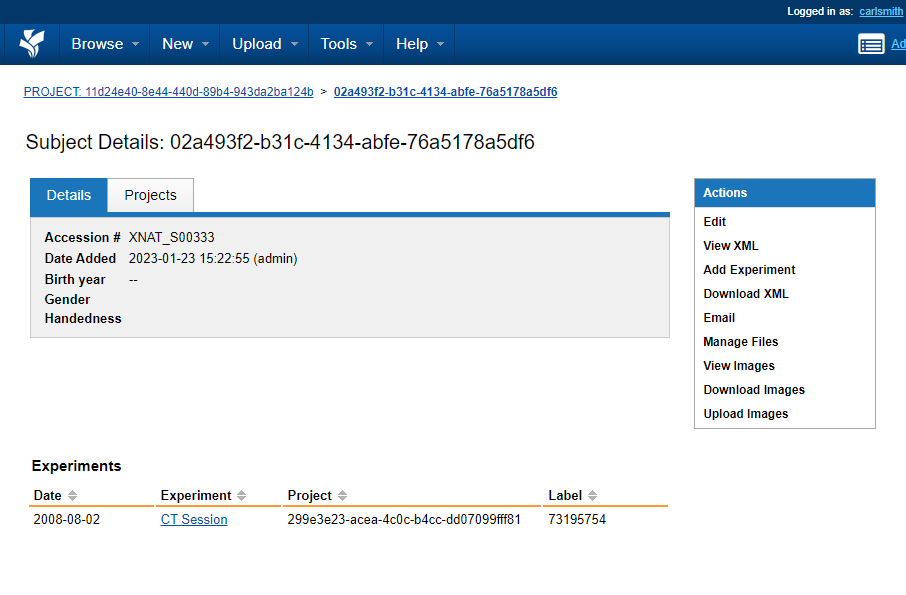
A specific subject.
The subject page displays a list of contained experiments (CT Sessions) and permits various functions available from the right hand side ‘Actions’ menu.
CT Session
Navigate to a CT session by selecting it from a subject’s list of experiments.
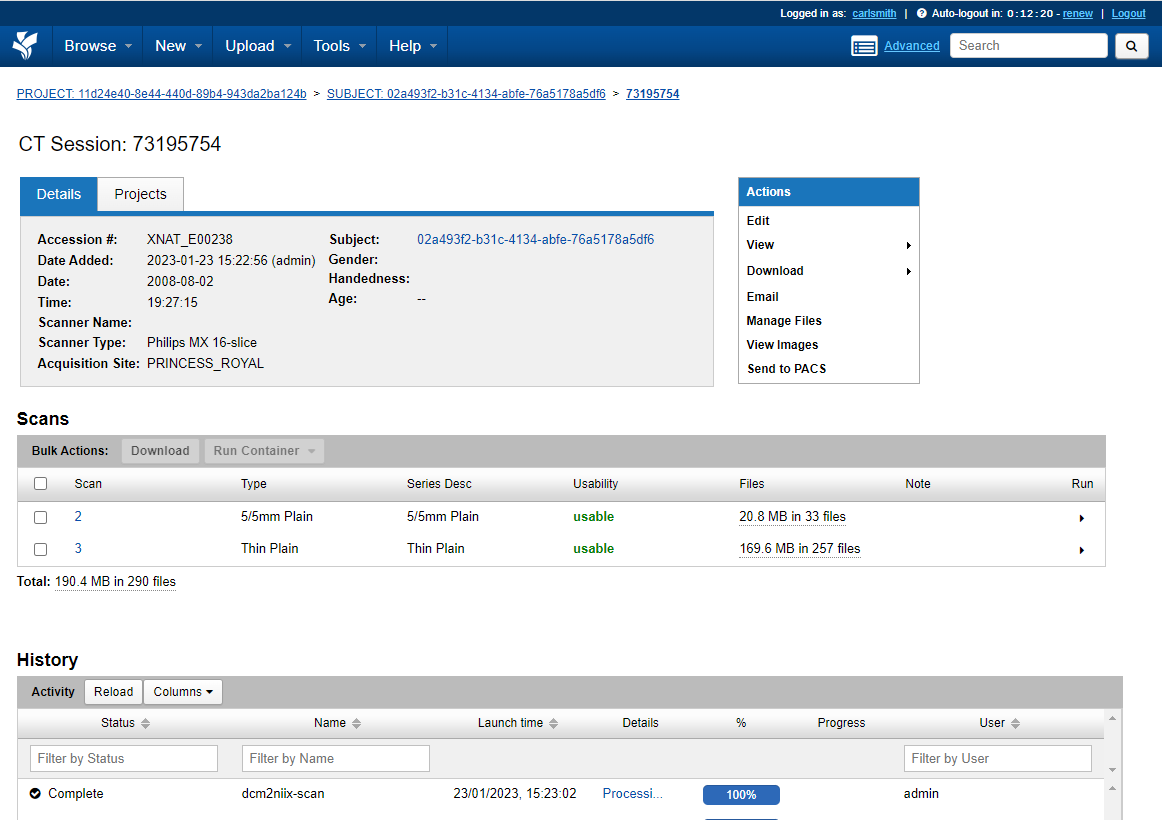
A specific CT session.
A CT session is derived from an imported PACS DICOM Study. The CT session page contains a list of scans in which imaging study data is contained. This includes imported DICOM images and the respective NIFTI files which have also been made available.
Downloading and Uploading Imaging Data
Imaging data will be automatically imported from trust PACS systems on XNAT project generation. Model developers may wish to download this data or upload new or amended imaging data to support model development.
Information on how to download and upload imaging data the XNAT UI can be found here.
DICOM Anonymization
XNAT includes a built-in anonymization engine that processes incoming DICOM data to remove Protected Health Information (PHI) from DICOM headers. The anonymization script is applied site-wide to all data received via the SCP receiver.
Default Anonymization Script
XNAT ships with a minimal default anonymization script that can be retrieved via the API:
curl -X GET "http://<xnat-host>/xapi/anonymize/default" -H "accept: text/plain"
The default script performs only basic label mapping:
//
// Default XNAT anonymization script
// XNAT http://www.xnat.org
// Copyright (c) 2005-2017, Washington University School of Medicine
// and Howard Hughes Medical Institute
// All Rights Reserved
//
// Released under the Simplified BSD.
//
version "6.1"
project != "Unassigned" ? (0008,1030) := project
(0010,0010) := subject
(0010,0020) := session
FLIP Anonymization Script
FLIP replaces the default script with a comprehensive site-wide anonymization script (anon_script.das) that provides more thorough PHI removal, including:
Patient identifiers: birth date, address, telephone numbers, other patient IDs
Institutional identifiers: institution name, address, department
Physician/operator identifiers: referring, performing, and requesting physicians
Other identifying tags: accession number, medical record locator, ethnic group, occupation
UID pseudonymization: study and series instance UIDs are hashed for repeatable pseudonymization
De-identification recording: sets
Patient Identity RemovedandDe-identification Methodtags
The script is configured automatically during XNAT initialization via configure-xnat.sh. It is applied to all incoming DICOM data when the SCP receiver has anonymizationEnabled set to true.
Anonymize API Endpoints
The following XNAT anonymize-api endpoints are used by FLIP:
Method |
Endpoint |
Description |
|---|---|---|
GET |
|
Gets the default anonymization script |
PUT |
|
Sets the site-wide anonymization script |
PUT |
|
Enables or disables the site-wide anonymization script |
DICOM to NIfTI Conversion
XNAT can automatically convert DICOM images to NIfTI format using the dcm2niix tool via the Container Service plugin. FLIP controls this conversion on a per-project basis through two XNAT mechanisms:
Commands vs Event Subscriptions
XNAT’s Container Service registers dcm2niix as a command. This command is enabled site-wide, making it available for manual triggering from the XNAT UI in any project via the Run Containers action menu.
XNAT’s Event Service provides event subscriptions that automatically trigger commands in response to platform events. FLIP creates per-project event subscriptions that listen for ScanEvent:CREATED events (i.e., when DICOM data is archived) and auto-trigger the dcm2niix command.
Per-Project Configuration
When a FLIP project is created, the dicom_to_nifti setting controls the event subscription:
Enabled (
dicom_to_nifti=True): An active event subscription is created for the project. When DICOM scans are uploaded,dcm2niixruns automatically and NIfTI files are made available alongside the original DICOM data.Disabled (
dicom_to_nifti=False): An inactive event subscription is created. No automatic conversion occurs, butdcm2niixcan still be triggered manually from the XNAT UI if needed.
The event subscription can be activated or deactivated later via the XNAT Event Service API.
Event Service API Endpoints
The following XNAT Event Service API endpoints are used by FLIP for managing per-project event subscriptions:
Method |
Endpoint |
Description |
|---|---|---|
POST |
|
Creates a project-scoped event subscription |
GET |
|
Lists all event subscriptions for a project |
DELETE |
|
Deletes an event subscription |
POST |
|
Activates a deactivated subscription |
POST |
|
Deactivates an active subscription |
FLIP XNAT methods
The following methods are available to be used in training, located in the flip-utils package:
get_dataframe(self, project_id: str, query: str) -> DataFrameThis retrieves data in the form of a Dataframe containing, at the minimum, accession IDs. The method takes in the project ID and the project query as parameters. These values are already passed in as parameters to the trainer to be used.
get_by_accession_number(project_id: str, accession_id: str, resource_type: ResourceType | list[ResourceType] = ResourceType.NIFTI) -> PathDownloads scans of the requested resource type (
NIFTIby default) and places them in a directory made available to the FL training script. Takes the project ID and an accession ID (which can be obtained fromget_dataframe) and an optionalresource_type(single value or list). Returns the path to where the scans are stored.
See the Federated Learning Nodes documentation for the full list of flip.* calls available to user training code.