FLIP workflow
Cohort Query
Once a user has access to FLIP, they can construct a project, add project members and execute an SQL query at each of the consortium Trusts to determine data cohort sizes.

FLIP cohort query.
Project Approval
Once a sufficient cohort of data has been identified, the Model Developer indicates which Trusts’ data they require and ‘stages’ the project, awaiting approval from a FLIP administrator. Once the project is approved, FLIP executes the cohort query at each of the selected Trusts to determine the DICOM series associated with the cohort and begins copying the images from the Trust PACS system to the local XNAT cache.
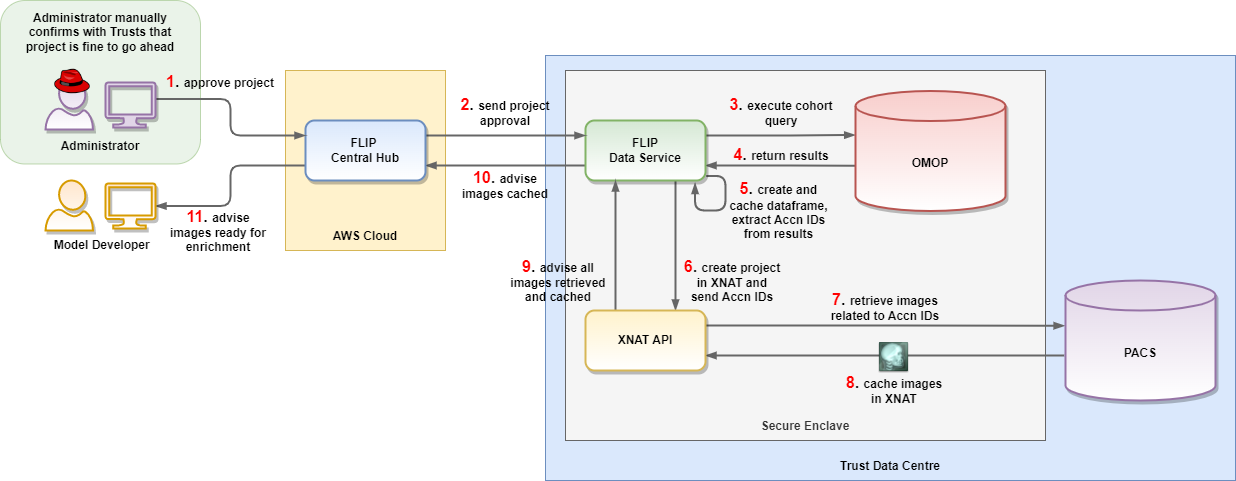
Approved project.
Image Enrichment
Once the DICOM series have been cached in the local XNAT in each Secure Enclave, the Model Developer is notified and can begin the optional process of enriching the data. All users associated with the FLIP project are provided with XNAT accounts and can log in locally and segment, align, label or otherwise enrich the data prior to providing it to the algorithm for training. Only those users in the original FLIP project have access to the images in the XNAT repository.
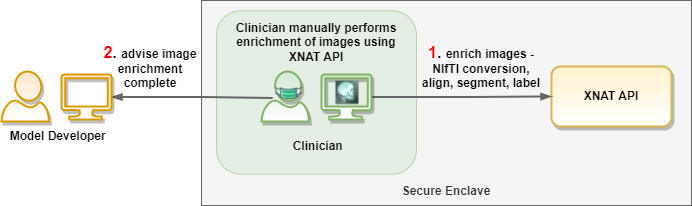
Image enrichment using XNAT.
File Uploads
The Model Developer uploads their training and validating algorithms to FLIP, along with any other collateral required for training and testing.
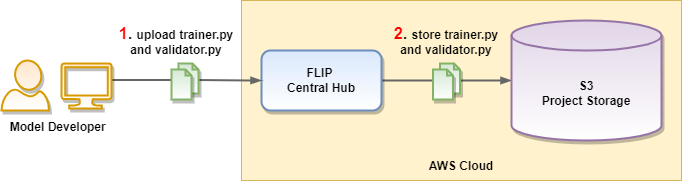
File uploads.
Training Start
Once all images have been prepared and the algorithm has been uploaded, the Model Developer can initiate the training process. The uploaded files are deployed out to each of the Trusts and the algorithm is provided with a dataframe containing the details of the selected cohort. The algorithm can inspect the dataframe and request images from the XNAT cache for training purposes. Any image processing performed during the training process can potentially be written back to the XNAT project for future training cycles.
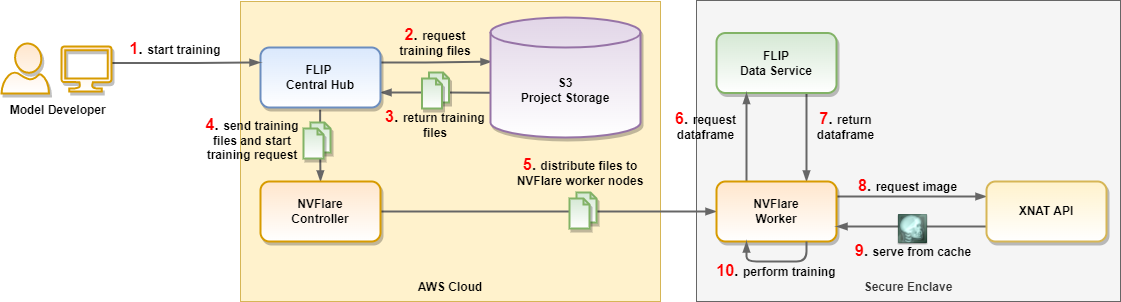
Training start.
Training Finish
Between training cycles, the weighted model is sent back to the Central Hub to be aggregated and redistributed out to the workers.
Once all training cycles are completed, the final weighted model and any recorded metrics are made available to the Model Developer through the FLIP UI.
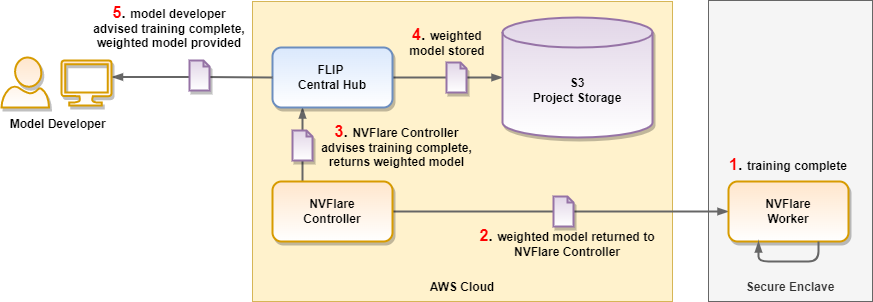
Training finish.